Android APK Direct Download
Download the CrownJewelz APK from the official website to get a dedicated native app on your Android device, independent of Google Play.
Everything About the App at CrownJewelz
The full CrownJewelz experience on your phone: slots from Pragmatic Play and NetEnt, Evolution Gaming live tables, and your GBP account in your pocket.
How to Get Started on Mobile
Everything in the App
The full CrownJewelz experience on your phone: slots from Pragmatic Play and NetEnt, Evolution Gaming live tables, and your GBP account in your pocket.
Get the App 18+ only. Gambling carries a risk of addiction, and bonus terms apply.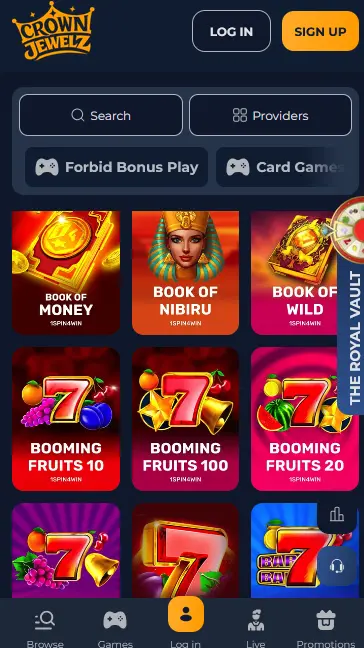
Mobile Account Security
What You Should Do
What You Should Avoid
App Highlights
Android APK Direct Download
Download the CrownJewelz APK from the official website to get a dedicated native app on your Android device, independent of Google Play.
Instant iOS Access via PWA
iPhone and iPad users add CrownJewelz to their home screen as a Progressive Web App through Safari, getting app-like access with no installation needed.
Secure Mobile Sessions
SSL encryption covers every session in the app and the PWA. Two-factor authentication and biometric login options are available in account settings.
CrownJewelz App: Strengths and Limitations
Pros
Cons
Device Requirements
Android
iOS
The CrownJewelz mobile experience delivers the full casino in two formats: a native Android APK for direct download from the website and a PWA for iOS devices added through Safari. Both give access to the complete games catalogue, live casino floor, sports betting section and the GBP cashier.
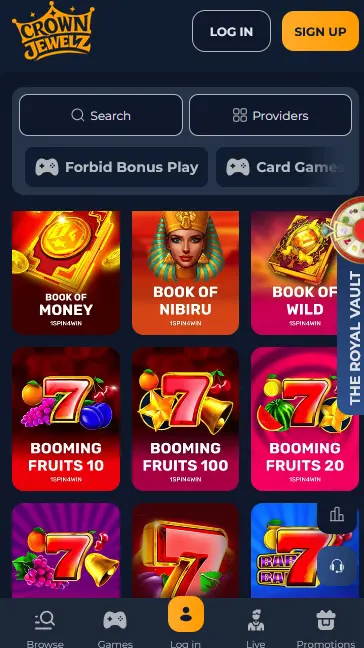
The app and PWA carry every slot from the desktop lobby, including high-volatility titles from Nolimit City and Hacksaw Gaming, progressive jackpots from Microgaming and NetEnt and the complete Pragmatic Play portfolio. Live casino tables from Evolution Gaming and Pragmatic Live run smoothly on mobile, with Lightning Roulette and Crazy Time optimised for smaller screens. The sportsbook is accessible from the same navigation, allowing players to place football bets and check live in-play markets between slot sessions.
The Android APK behaves as a standalone app with direct access to the cashier and account settings through a dedicated interface. The iOS PWA replicates this experience within Safari, with the added step of saving it to the home screen. Both formats share the same account and GBP balance as the desktop browser; nothing needs to be transferred or reset when switching between devices.
The full games catalogue is available through both the Android APK and the iOS PWA.
Every slot title from the desktop lobby is available on mobile. Gates of Olympus (Pragmatic Play, RTP 96.5%), Dead or Alive 2 (NetEnt, RTP 96.8%) and Fruit Warp (Thunderkick, RTP 97%) are among the titles optimised for touchscreen play. Aviator by Spribe (RTP 97%) is available in the crash-style section and performs particularly well on a mobile screen given its simple interface.
Evolution Gaming’s live tables, including Lightning Roulette, Infinite Blackjack and Monopoly Live, are fully playable in the app. Pragmatic Live tables such as Speed Baccarat and One Blackjack are also on the live floor. Video feeds are streamed directly to the device and adapt to available bandwidth automatically.
RNG versions of blackjack, roulette and baccarat are available in the app for players who prefer faster-paced solo play over the live dealer format. Minimum bets on mobile table games match the limits shown in the desktop lobby.
Mega Moolah from Microgaming and Divine Fortune from NetEnt (RTP 96.59%) are available through the app with their progressive jackpot mechanics intact. The jackpot ticker is visible on the game loading screen.
New players can register directly through the app or PWA without needing a desktop browser. Tap Sign Up, fill in your name, date of birth, address and email address, set a password and confirm. Identity verification documents, which for UK players means a passport or UK photocard driving licence plus a proof of address such as a utility bill or council tax bill, can be uploaded through the account area within the app.
Returning players enter their registered email and password on the login screen. Two-factor authentication, if enabled, sends a one-time code to your mobile number. Biometric login using fingerprint or Face ID is available on compatible devices and can be activated in the account security settings. For further sign-in guidance visit the login page.
The CrownJewelz app and PWA are designed to run on current Android and iOS devices.
The Android APK is distributed from the official website at crownjewelz.io. Installation requires enabling unknown sources in the Android security settings before opening the APK file. The minimum supported Android version is not publicly listed; current mid-range and flagship Android handsets from 2021 onwards will run the app without issue.
iOS access runs through a Safari-based PWA. No installation from the App Store is required. Open crownjewelz.io in Safari, tap the Share icon at the bottom of the browser and select Add to Home Screen. The PWA icon appears on your home screen and behaves similarly to a native app. The minimum supported iOS version is not publicly listed.
| Platform | Delivery | Store | Notes |
|---|---|---|---|
| Android | APK from crownjewelz.io | Not on Google Play | Enable unknown sources before installing |
| iOS | PWA via Safari | Not on App Store | Add to Home Screen through the Share menu |
Open your Android device’s browser and navigate to crownjewelz.io. Locate the app download section and tap the download link for the APK file. When prompted, confirm the download. Go to your device Settings, then Security or Privacy, and enable Install from Unknown Sources (the exact path varies by Android version and manufacturer). Return to your downloads folder, tap the APK file and follow the on-screen prompts to complete installation. The CrownJewelz icon appears on your home screen once installation is complete.
Open Safari on your iPhone or iPad and go to crownjewelz.io. Tap the Share button (the square with an upward arrow at the bottom of the screen). Scroll through the share sheet and tap Add to Home Screen. Give the shortcut a name if desired and tap Add. The CrownJewelz PWA icon appears on your home screen and behaves like an app, opening directly to the casino without the browser address bar.
The full cashier is available within the CrownJewelz app and PWA, giving mobile players the same payment options as the desktop site.
Visa and Mastercard debit cards, Skrill, Neteller, Bitcoin, Ethereum, Litecoin, Dogecoin and Bank Transfer are all accessible through the mobile cashier. The minimum deposit via card is £20. All balances are held in GBP with no currency conversion for pound deposits.
| Method | Deposit Speed | Withdrawal Speed |
|---|---|---|
| Visa / Mastercard | Instant | Standard bank processing |
| Skrill | Instant | No public data |
| Neteller | Instant | No public data |
| Bitcoin | Instant | Blockchain speed |
| Ethereum | Instant | Blockchain speed |
| Bank Transfer | Instant | No public data |
Every cashier session in the app and PWA is secured by SSL encryption. Financial data is processed through the payment providers’ own infrastructure. A verification check is required before the first withdrawal is processed; UK players should have a passport or photocard driving licence and a proof of address ready.
All data transmitted between the CrownJewelz app or PWA and the casino’s servers is protected by SSL encryption, the same standard used by banking applications. This covers login credentials, payment data and personal information submitted at the cashier or in the account settings.
Two-factor authentication is available in the account security settings. When enabled, a one-time code is sent to the registered mobile number each time a login is initiated from a new device or after a session has expired. This prevents unauthorised access even if a password is obtained elsewhere.
Compatible Android and iOS devices can use fingerprint or Face ID to confirm login within the app, replacing the password step for faster and equally secure access. Biometric login is activated in the security section of the account settings after the initial password-based login is completed.
The full CrownJewelz welcome pack is available when registering and depositing through the app. This means the zero-wagering first deposit bonus of 200% up to £1,000 plus 50 Free Spins, the second deposit of 150% up to £1,000 with 50 Free Spins and the third deposit of 150% up to £1,000 with 50 Cash Spins are all claimable via mobile. The high-roller variant of 200% up to £5,000 is also available for qualifying deposits of £500 or more. Full bonus terms and activation steps are on the bonuses page. 18+ only.
Live chat is accessible from within the app and PWA through the Support link in the main menu. The team can help with installation issues, account queries and payment questions. Email support is available at [email protected] for issues that require documentation or more detailed follow-up.
Deposit limits, loss limits and self-exclusion tools are available in the account settings and accessible from within the app. Players who want to take a break from gambling can request a cooling-off period through live chat or by emailing [email protected]. All players must be 18 or over.
App Questions
Yes. The CrownJewelz app is distributed as an APK downloaded directly from crownjewelz.io and does not require Google Play. You need to enable installation from unknown sources in your Android device settings before installing.
Since the app is not on Google Play, updates are not automatic. Visit crownjewelz.io on your device, download the latest APK and install it over the existing version to update.
Yes. The CrownJewelz welcome bonus of up to £5,000 plus 150 Free Spins is available regardless of whether you register and deposit via the app, the PWA or the desktop browser. 18+ only.
Yes. Evolution Gaming live tables including Lightning Roulette, Infinite Blackjack and Crazy Time are accessible through the Safari-based PWA on iPhone and iPad, provided your device runs a current version of iOS.
Download the CrownJewelz App
Take up to £5,000 and 150 free spins across your first three deposits, with zero wagering.
Enter the Casino 18+ only. Gambling carries a risk of addiction, and bonus terms apply.